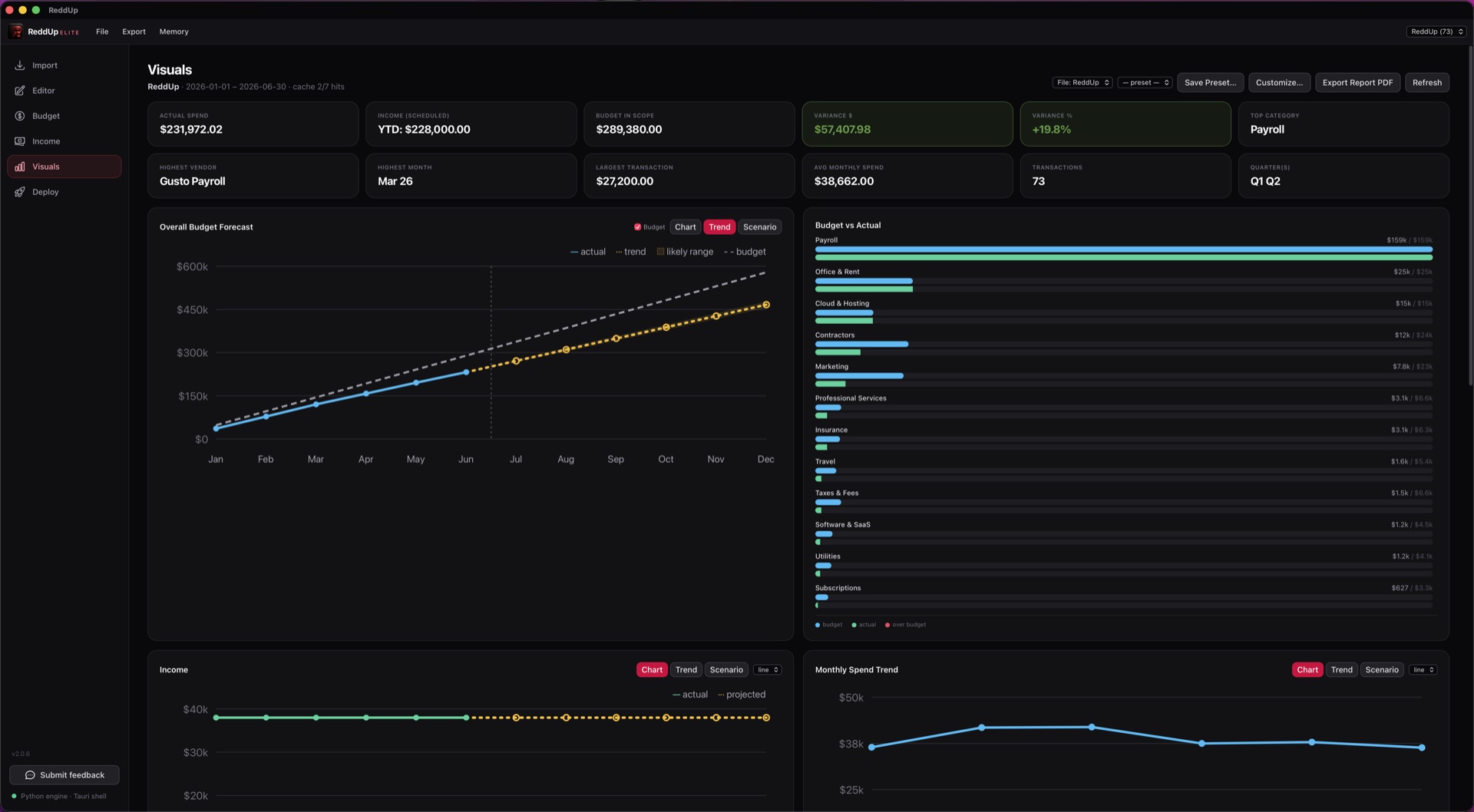
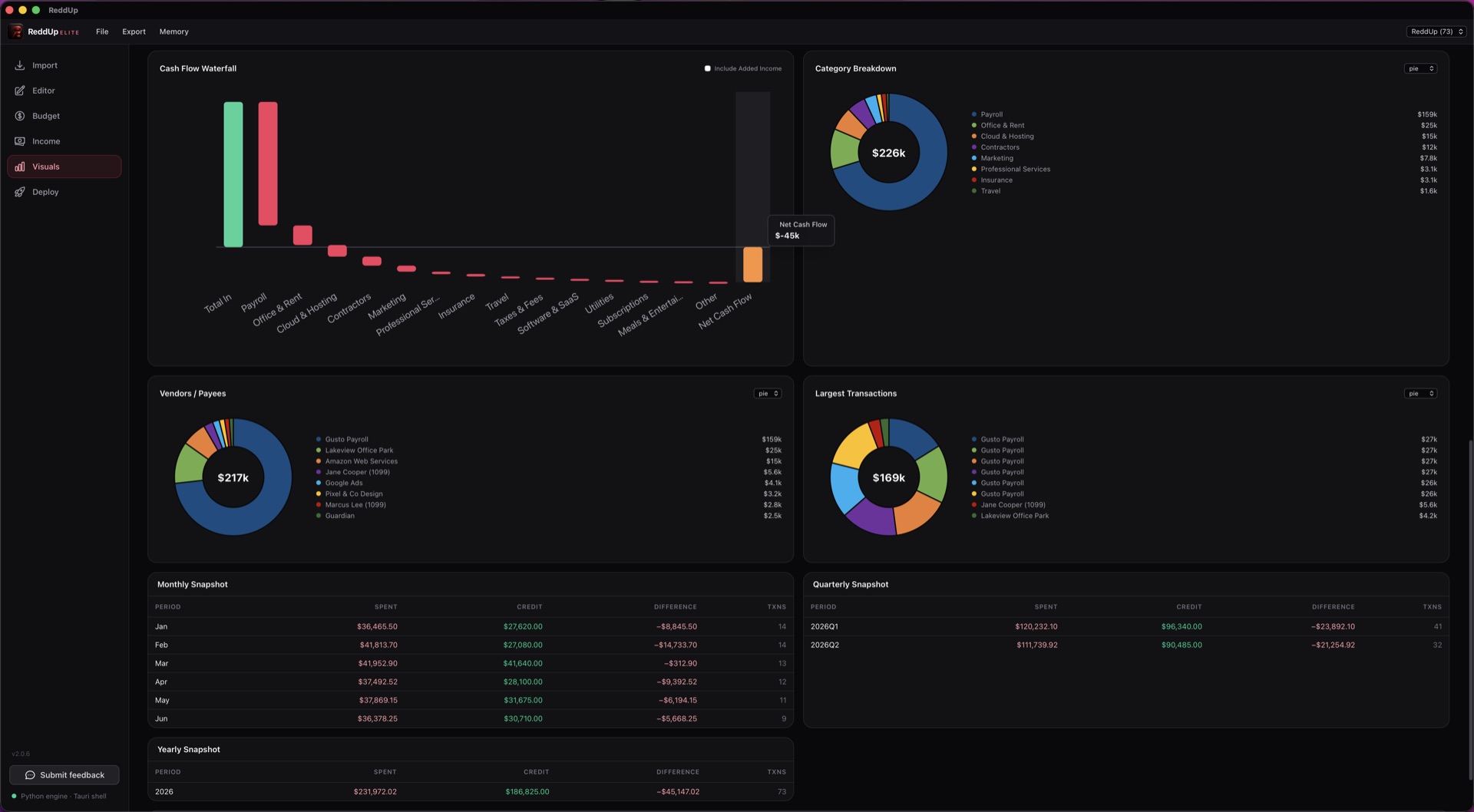
Spending and Cash-Flow Dashboards
View spending, cash flow and financial trends in charts and dashboards. Compare categories and changes over time to identify major expenses, understand where money is going and see which areas need closer attention.
Statement Import and Data Cleanup
Import CSV, Excel, QFX/OFX and supported text-based PDF statements. Review records before importing, add optional secondary categories and reuse remembered name and category corrections to reduce repeated cleanup. Free includes CSV import and these non-AI organization tools; Pro and Elite add the other supported file formats.
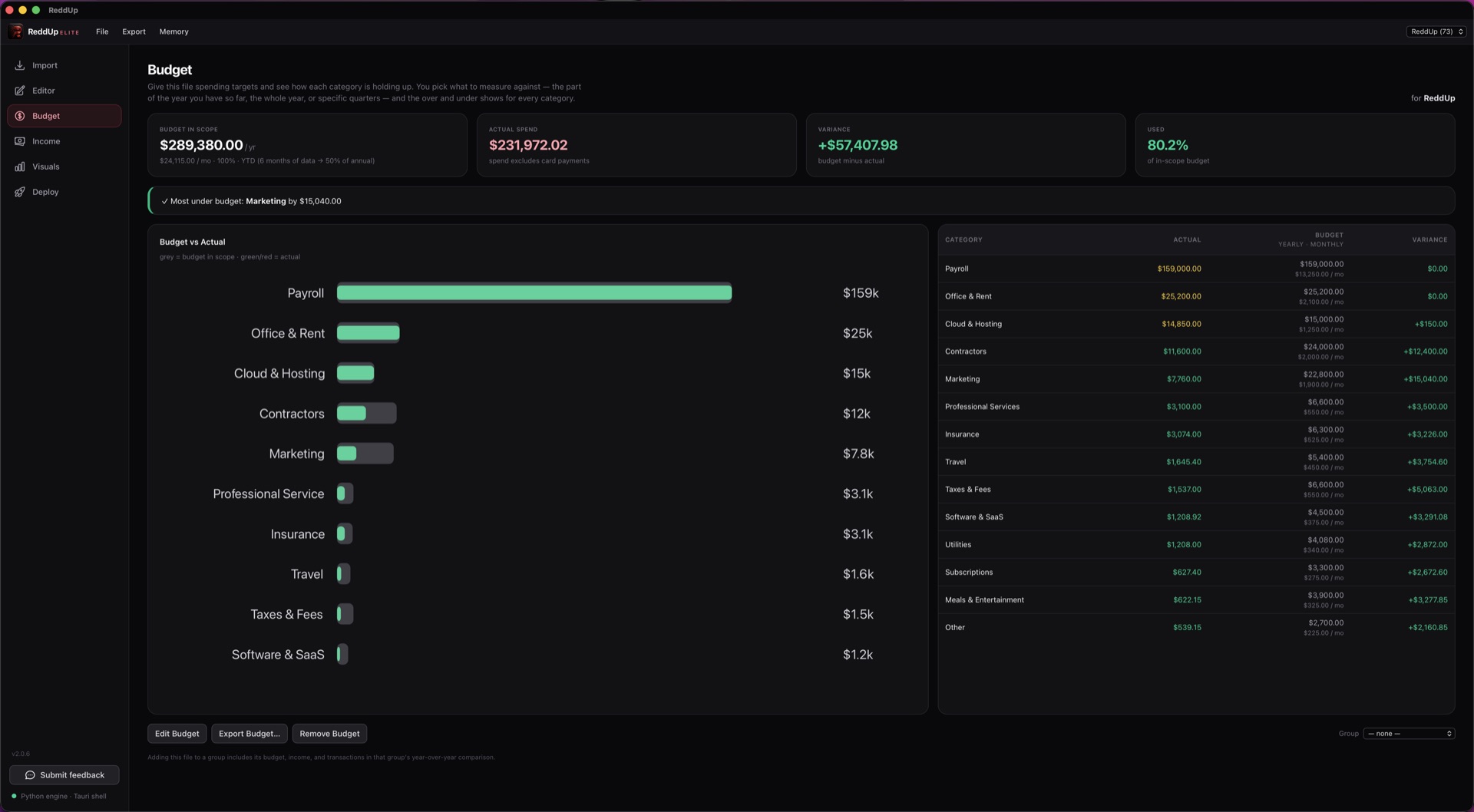
Budget Planning
Build budgets from actual spending and set amounts for each category. Compare your budget with recorded expenses, see where you are over or under, and identify unbudgeted spending. Use those differences to adjust your plan as priorities and costs change.
Net Worth and Asset Tracking
Track assets, investments and loans together to see what you own, what you owe and how your net worth changes over time. Optional account sync requires your own separately paid SimpleFIN Bridge account and available secure credential storage. Manual tracking works without it.
Financial Overview
Bring income, savings, goals and debts into one view of your monthly finances. Review upcoming commitments alongside recorded spending, track bill payments and export an overview report. See how obligations fit together before deciding what is available to spend, save or put toward debt.
Savings Accounts and Projections
Track savings balances and recorded interest, then model account growth using contributions, fees and your entered APYs. Set a target to estimate when you could reach it or calculate the monthly contribution needed. Compare scenarios to plan deposits and understand how rates and fees affect your savings.
Savings and Debt Goals
Create savings and debt-payoff goals with targets, timelines and milestones. Compare planned progress with linked account activity or manual updates, and test different monthly amounts or one-time contributions. Catch-up calculations help you see how changing contributions could affect progress toward a goal.
Credit Card Tracking
Track card balances, credit limits, utilization, APRs and due dates. Extract details from supported statements for review, link imported transactions and follow recorded interest and fees. Keep borrowing costs and payment deadlines together so you can review balances and plan repayments.
Loan and Debt-Payoff Planning
Review loan payment schedules and charts of balances and interest. Compare snowball and avalanche payoff plans across loans and credit cards, including extra payments for one debt or the whole plan. Use estimated payoff dates and interest costs to evaluate repayment options.
Subscription Tracking
Identify recurring monthly and yearly charges in imported transactions and review suggested subscriptions. See estimated renewals and costs, inspect payment history and spot price changes. Confirm or dismiss suggestions to keep a useful record of recurring expenses and decide which subscriptions deserve a closer look.
Business Profiles
Create unlimited business profiles with no per-profile charge. Give each business or department its own categories, budget, income settings and PDF report branding. Keep their financial records organized and compare recorded results year over year to see what’s changing.
Rental Property Management
Track rent, operating expenses, mortgage costs and net cash flow for each property. Review occupancy, returns and monthly trends alongside tenant records, rent payments, deposits and property update history. Generate property and tenant reports to assess performance and keep rental records organized.
Paystub Import and Income Projections
Import supported paystub PDFs into a reviewable income draft with pay, taxes and deductions. Use the reviewed figures to build income projections and estimate take-home pay. This gives budgets and financial plans a starting point based on the income you expect to receive.
AI Assist
Ask questions about your records, explore spending patterns and get help with categorization through optional AI Assist. Included with Pro and Elite at no extra charge from ReddUp. Requires Ollama and a compatible model; review its suggestions against your figures.
PDF Reports and Spreadsheet Exports
Export Excel workbooks and CSV files in every edition. Pro and Elite also create PDF financial reports, including the Financial Overview. Secondary categories carry into supported reports and exports, helping you hand organized records to an accountant, business partner or decision-maker.
Bank Sync with SimpleFIN
Import transactions and balances from supported bank accounts through SimpleFIN. Choose which accounts and transaction files enter the current session to reduce manual statement handling. Requires your own separately paid SimpleFIN Bridge account and available secure credential storage.
Folder Monitoring
Monitor selected folders for new supported statements while ReddUp is running. Files are brought forward for review and import, helping you keep up with incoming records without repeatedly checking folders yourself.
ReddUp Command Dashboards
Share read-only financial dashboards from ReddUp ELITE with your boss, COO or department leader through ReddUp Command. They can check KPIs, trends and budget comparisons at a glance, spot what needs attention and prepare for the next meeting—then get back to leading the business.